Android app
GrabMP4, the video downloader app
Search YouTube, watch the video and save it in the quality you want, from 144p to 4K, or keep only the audio as MP3. TikTok and Facebook links have their own tabs.
Download for Android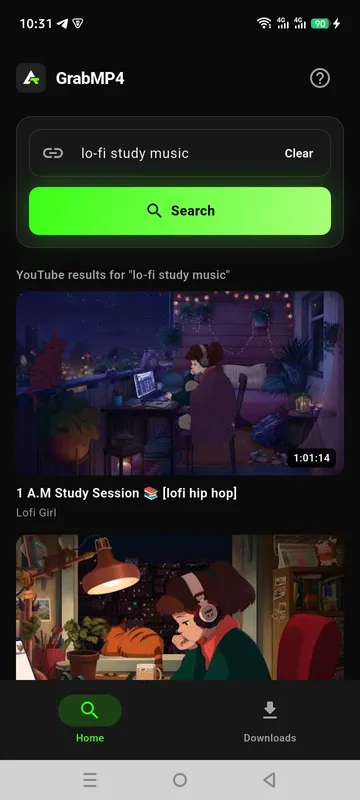
How to install the app
- Tap Download for Android. The file grabmp4.apk is saved to your Downloads folder.
- Open it from the notification or from your Files app. If Android asks, allow your browser to install apps.
- Tap Install and open GrabMP4. No account needed.
What you can do with GrabMP4
- Browse popular YouTube videos in your country and search any video by name.
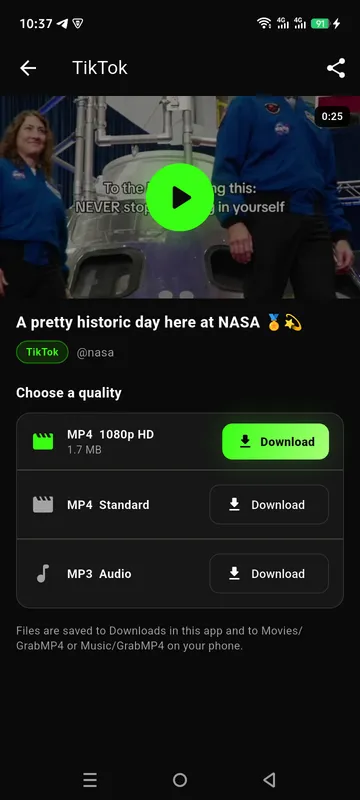
- Pick from every quality: 4K, 1440p, 1080p, 720p, 480p, 360p and more, with the file size shown for each.
- Save only the audio as MP3 or M4A.
- Preview the quality in the player before you download.
- Paste TikTok and Facebook links in their tabs, or share them straight to GrabMP4 from those apps.
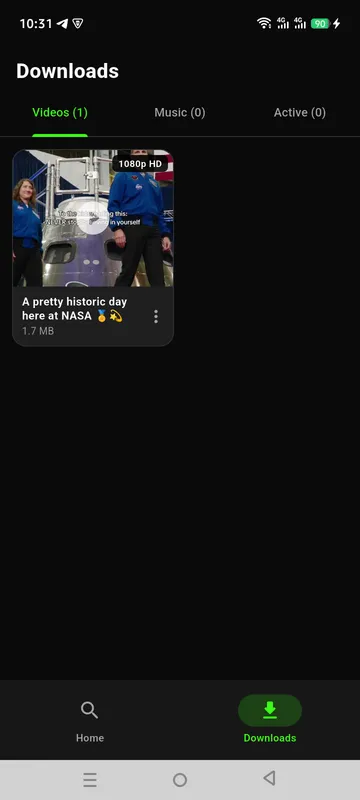
- Keep downloading in the background and find everything in the app's gallery.
Is it safe to install an APK?
Android shows a warning for any app that doesn't come from Google Play; that's normal. Only download GrabMP4 from this page. After installing you can turn the install-apps permission for your browser off again. The app only asks for notification permission, to show download progress.
Frequently asked questions
Is the app free?
Yes. GrabMP4 is free and needs no account. It shows a few ads to pay for the servers.
Why isn't it on Google Play?
Google Play doesn't accept apps that download YouTube videos, so the app is offered as an APK from this page. When a new version is out, the app tells you and updates with one tap.
Which phones are supported?
Android 7 or newer, on phones and tablets.
Where are my downloads saved?
In the app's Downloads tab and in the Movies/GrabMP4 and Music/GrabMP4 folders on your phone, so they also show up in your gallery and music app.
Which sites does it download from?
YouTube, TikTok, Instagram, Facebook, X, Pinterest, Snapchat, Dailymotion, Twitch and SoundCloud.
Only download your own videos or content you have permission to save.